Blackbox Ai
Generate Code Easily with Blackbox AI
Are you spending hours writing repetitive code? Constantly searching for solutions on Stack Overflow? Wish you could transform your ideas into functional code faster? Blackbox AI positions itself as an AI-powered programming assistant promising to accelerate your development workflow. This platform offers contextual code generation, intelligent autocomplete, and code extraction from images or videos. In this complete 2026 review, we examine whether Blackbox AI delivers on its promises, analyze its concrete features, real limitations, and pricing position against market competitors.
What is Blackbox AI?
Blackbox AI is an AI-powered coding assistant designed for developers seeking to accelerate their workflow. The platform combines multiple advanced artificial intelligence models (Claude, GPT, Gemini, DeepSeek) to generate code from natural language descriptions. Launched in 2021, the tool has been adopted by over 10 million users according to the official website, including independent developers and Fortune 500 company teams. Blackbox AI stands out for its ability to extract code directly from YouTube videos, screenshots, or PDF files — a rare feature in the programming assistant ecosystem. The service supports over 20 programming languages (Python, JavaScript, TypeScript, Java, C++, Go, Rust, Ruby, PHP, Swift, Kotlin) and integrates natively into 35+ development environments, with a particularly popular extension for Visual Studio Code.
How to generate code with Blackbox AI?
Direct answer: Open Blackbox AI, describe what you want to create in natural language (example: "Create a Python function that sorts a list of objects"), select your programming language, click "Ask Blackbox," and the AI instantly generates complete code with explanations.
To go further: Blackbox AI's effectiveness depends heavily on the precision of your instructions. The more specific you are in your description (including constraints, usage context, and expected edge cases), the more the generated code will be adapted to your real needs. The VS Code extension provides real-time suggestions directly while you type — simply add a comment describing the desired functionality and press Tab on the next line to see contextual proposals appear. Blackbox AI analyzes your entire code file to understand the existing architecture and generates suggestions consistent with your programming style. For complex tasks, break down your problem into sub-steps and query the AI progressively rather than asking for a complete solution at once. Always review the generated code: verify the logic, test edge cases, and ensure it respects your tech stack's best practices. The AI can sometimes produce generic solutions that require adjustments to integrate perfectly into your project.
Blackbox AI Features
Blackbox AI offers a suite of tools designed to cover the entire development cycle, from initial generation to final debugging.
1. Multilanguage Code Generation
The AI transforms your natural language descriptions into functional code for over 20 programming languages. You describe what you need ("Create a REST API endpoint in Node.js with parameter validation") and Blackbox generates complete code with error handling and target language best practices. This feature excels at quickly creating utility functions, standard UI components, or automation scripts.
2. Intelligent Contextual Autocomplete
The VS Code extension analyzes your code in real-time and suggests relevant completions based on your project context. Unlike simple syntactic autocomplete, Blackbox AI understands your application's global architecture and proposes suggestions aligned with your existing code patterns. Suggestions appear progressively during typing, allowing significant acceleration of repetitive code writing.
3. Code Extraction from Images and Videos
This unique feature allows capturing code displayed in a YouTube video, screenshot, or PDF document. You activate the extraction tool (Ctrl+E on Windows, Cmd+E on Mac), select the zone containing the code, and Blackbox automatically transcribes it into editable text. Particularly useful when following video tutorials or consulting technical documentation without copy-paste capability.
4. Intelligent GitHub Search
Blackbox AI searches millions of public GitHub repositories to find proven solutions to your programming problems. Instead of manually searching for examples, you pose your question in natural language and the AI identifies relevant implementations, extracts code patterns used by the community, and adapts them to your specific context.
5. Debugging and Error Detection
The assistant analyzes your code to identify potential bugs, security vulnerabilities, and optimization opportunities. You paste your problematic code into the chat interface, describe the unexpected behavior observed, and Blackbox AI suggests precise corrections with explanations. The tool detects logical errors, potential memory leaks, and common anti-patterns.
6. Multi-Framework App Builder
The App Builder feature transforms a textual description into a complete functional web application. You describe the desired application ("Create a statistics dashboard with real-time charts"), Blackbox generates frontend and backend code, configures file architecture, and can even deploy the prototype. Supports React, Vue, Angular, and several backend frameworks.
7. Autonomous Agents for Complex Tasks
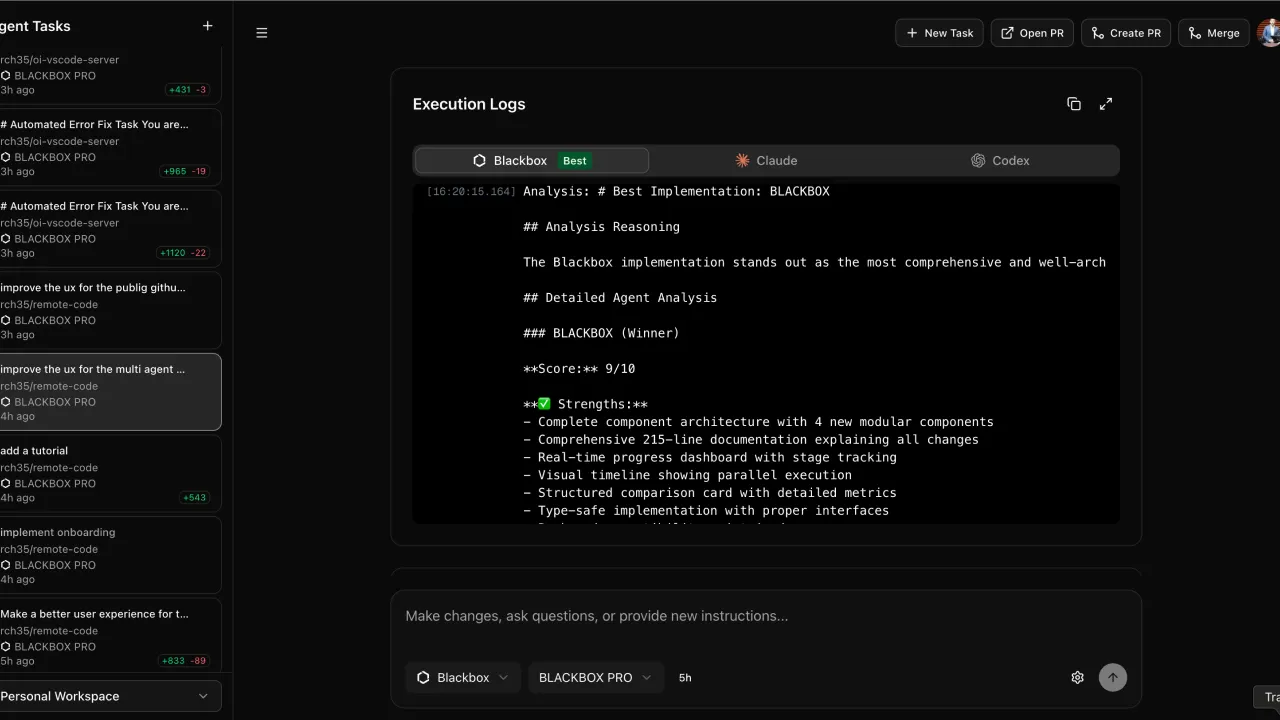
Paid plans provide access to AI agents capable of executing complete development tasks autonomously. You assign a high-level goal ("Add OAuth authentication functionality to this application") and the agent plans steps, generates necessary code, performs tests, and iterates until task completion.
Why Choose Blackbox AI?
Several developers appreciate Blackbox AI for its ability to concretely accelerate their daily productivity.
The main strength lies in multilanguage and multi-framework versatility. Unlike some competitors specialized in one or two languages, Blackbox AI covers the entire range of modern web, mobile, and backend development technologies. This universality avoids having to juggle between multiple tools depending on the current project. A full-stack developer can use the same assistant for Python server-side, React for frontend, and SQL for database queries.
Code extraction from visual media represents a major differentiator compared to GitHub Copilot or Tabnine. When following a video tutorial or consulting PDF documentation, you save considerable time by avoiding manually retyping each line of code displayed on screen. This feature radically transforms the learning experience from video resources.
The accessible pricing model with an entry plan at $5/month allows independent developers and small teams to experiment with generative AI without major investment. This pricing positioning is 40 to 60% below competitors like GitHub Copilot or Cursor, while offering access to multiple premium AI models (Claude, GPT-5, Gemini).
Transparent VS Code integration ensures smooth adoption without disrupting existing work habits. The extension installs in a few clicks and starts suggesting relevant code immediately, without complex configuration. Developers particularly appreciate the discretion of suggestions that don't clutter the interface unlike some more intrusive assistants.
Things to Consider Before Using Blackbox AI
Despite its strengths, Blackbox AI presents limitations that must be considered before adopting it as a primary tool.
The problematic customer service reputation constitutes the most serious concern reported by users. Trustpilot displays a 2.1/5 star rating based on 57 reviews, with recurring complaints concerning unexpected charges after subscription cancellation, difficulties obtaining refunds, and unresponsive customer support. Several users report being billed for several months after attempting to cancel their subscription, without receiving responses to their emails. This situation creates financial uncertainty that may deter cautious users, even if the tool's technical features are appreciated.
The variable quality of generated code requires systematic validation before production use. For simple and well-defined tasks (utility functions, standard UI components), Blackbox AI generally produces correct and usable code. However, facing complex problems involving specific business logic or advanced algorithmic optimizations, suggestions can be approximate or contain subtle errors. Several developers mention having observed "hallucinations" — the AI confidently generates code that doesn't work as expected. This limitation is common to all current AI assistants, but it implies always reviewing and testing generated code.
The opacity of internal functioning (the "black box" in the name) poses problems for understanding why the AI makes certain choices. Unlike GitHub Copilot which sometimes explains its reasoning, Blackbox AI directly generates code without justifying architectural decisions or patterns used. This opacity complicates the learning process: you get a solution that works, but not necessarily the deep understanding that would allow you to solve similar problems in the future.
The dependency on cloud processing on the free plan raises privacy questions. Your code is sent to Blackbox AI servers for analysis, which can be problematic if you work on sensitive proprietary projects or if your company imposes strict restrictions on source code sharing. Premium plans offer end-to-end encryption, but this protection isn't available on entry-level versions.
How Much Does Blackbox AI Cost? Last Verified on 01/08/2026
Prices verified on 01/08/2026 on the official page https://product.blackbox.ai/pricing.
| Plan | Monthly Price | Premium Model Credits | Main Features |
|---|---|---|---|
| PRO | $5/month | $10 credits (Claude-Sonnet-4.5, ChatGPT-5.1, Gemini-3, GroK-4) | Access all Chat/Image/Video models, Voice Agent, Screen Share Agent |
| PRO PLUS (Most Popular) | $10/month | $20 credits | Everything in PRO + Multi-Agent Execution, App Builder, Coding Agent (35+ IDEs), Remote Agent Data Analysis, Slack Integration, Auto-Refill |
| PRO MAX | $40/month | $200 credits | Everything in PRO PLUS + Unlimited Agent Requests, Team Collaboration, Centralized Billing, Advanced Security (SAML SSO), Priority Support, Usage Analytics |
| Enterprise | Custom quote | Custom credits | Everything in PRO MAX + Training opt-out, On-premise deployment, Custom SLAs, Dedicated support |
Annual pricing: A 20% discount is applied if you choose annual rather than monthly billing.
Recommendations by profile:
For independent developers or students starting with AI assistants: the PRO plan at $5/month offers a good entry point to experiment with code generation without major financial commitment. The $10 monthly credits for premium models allow testing the tool's advanced capabilities on personal projects. However, beware: these credits don't accumulate month-to-month, meaning you lose what you don't use.
For freelancers and professional developers using the tool daily: the PRO PLUS plan at $10/month represents the best value for money. Access to Multi-Agent Execution and App Builder easily justifies the $5/month surcharge if you regularly build prototypes or develop multiple projects in parallel. The Remote Agent feature for data analysis can also save significant time on data science projects.
For teams and startups: the PRO MAX plan at $40/month becomes cost-effective from 3-4 developers actively using the tool. Collaboration features (centralized billing management, usage analytics, advanced security controls) facilitate team adoption. However, carefully check cancellation conditions before subscribing.
For large enterprises with strict security requirements: only the Enterprise plan offers on-premise deployment and training opt-out (your data isn't used to train models). If your company handles sensitive proprietary code or operates in regulated sectors (finance, healthcare), this investment level is necessary to ensure compliance.
Alternatives to Blackbox AI on Retague
No alternatives are currently listed in the Retague catalog. We invite you to explore other AI code generation tools available on the market, such as GitHub Copilot, Cursor, Tabnine, or Codeium, depending on your specific needs and budget.
Conclusion
Blackbox AI positions itself as a versatile and accessible coding assistant, particularly attractive for developers seeking to accelerate their workflow without investing in expensive premium solutions. Its strengths lie in multilanguage code generation, extraction from visual media (rare and practical feature), and a competitive pricing model starting at $5/month. Transparent VS Code integration and support for 35+ development environments facilitate daily adoption.
However, the problematic customer service reputation (Trustpilot rating of 2.1/5) and recurring complaints about billing practices constitute serious warning signals. Before subscribing, ensure you fully understand cancellation conditions and keep written records of your exchanges with support. Variable code quality also requires systematic validation — consider Blackbox AI as a productivity accelerator rather than a replacement for your programming skills.
The tool particularly suits experienced developers capable of evaluating and correcting generated code, as well as teams seeking time savings on repetitive tasks. For programming beginners, prioritize learning fundamentals first before relying on an AI assistant.
If you wish to test Blackbox AI despite the reservations expressed, we recommend starting with monthly billing (avoid annual commitment) and carefully monitoring your bank statements. Keep screenshots of your cancellation procedures if necessary.
Transparency note: This review is based on analyzing official documentation, verified user reviews (Trustpilot, G2, Capterra), and an independent video review. We haven't personally tested all Blackbox AI features in real conditions. No affiliate link is available for this tool at publication time.
Appendix: Sources and Verification Links
Pricing and rates:
- Official page: https://product.blackbox.ai/pricing
- Verification date: 01/08/2026
Customer reviews:
- Trustpilot: 2.1/5 stars (57 reviews) - https://www.trustpilot.com/review/blackbox.ai
- G2: 4.4-4.6/5 stars (11 reviews) - https://www.g2.com/products/blackbox-ai/reviews
- Capterra: Reviews available - https://www.capterra.com/p/180375/Blackbox/
Official documentation:
- Website: https://www.blackbox.ai/
- Documentation: https://docs.blackbox.ai/